Download the portable Excel Dashboard for tablet use
Project management becomes easier when all key information is accessible from any device. This article presents a tablet-optimized Excel dashboard that allows you to manage business projects on the go, during meetings, or from home. It provides a clear overview of tasks, deadlines, and progress for each stage while maintaining simplicity and touch-screen friendly navigation.
Portable Excel Dashboard Design for Tablets
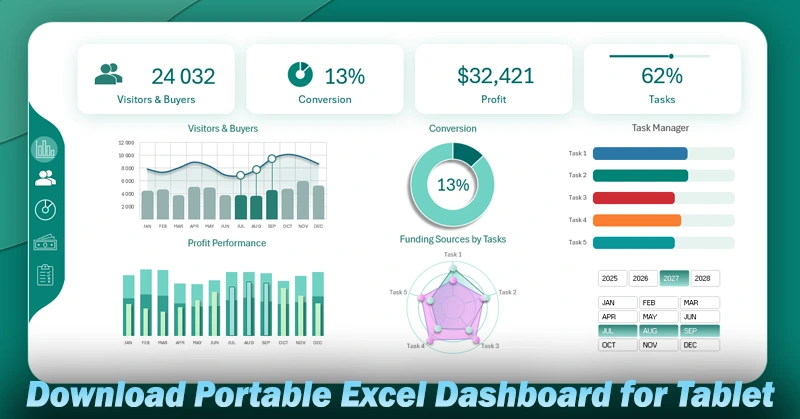
The Excel dashboard optimized for tablets makes business project management more flexible and mobile. You can quickly access needed information, update task statuses, and track progress without being tied to the office. A video tutorial will help you master the secrets of portable design. You’ll learn how to:
- Create a stylish background design for presenting the dashboard in a tablet style.
- Set up the grid and layout for a tablet-style Excel dashboard.
- Work with source data using pivot tables and Excel formulas.
- Design summary value cards for the dashboard header.
- Create sparklines for functional design elements.
- Add buttons for interactive dashboard control using Excel pivot table slicers.
- Build the first chart to analyze the visitor-to-customer conversion trend over the year.
- Use a donut chart to visualize the final investment conversion rate or margin.
- Create a horizontal bar chart to analyze and monitor the completion of key tasks.
- Build a poly chart from a combined Excel chart to analyze profit formation planning in detail.
- Create a radar chart to analyze the distribution of own and borrowed capital used for completing key tasks.
- Design a stylish tablet-style menu for the Excel dashboard.
- Dashboard screen – visitor-to-customer conversion.
- Develop a dashboard screen to present investment-to-profit margin conversion.
- Screen – structure of profit plan execution on a single poly chart.
- Screen – analysis of the distribution of own and borrowed capital for fulfilling assigned tasks.
- Dashboard presentation for project management on a tablet in Excel.
To better understand how to use the portable dashboard in practice, check out the user guide:
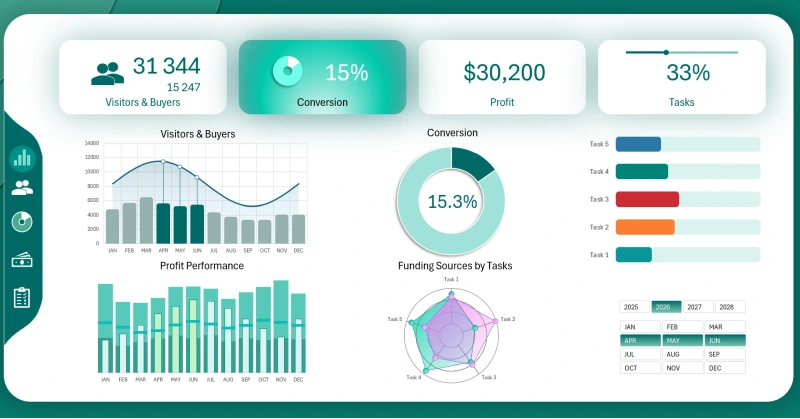
Excel Dashboard Capabilities for Tablet-Based Project Management
This user-friendly tool is especially helpful for executives and managers who value mobility and efficiency in Excel-based decision-making.


Data Visualization Charts for Interactive Report Creation in Excel.
Dashboard Templates