Monthly budget expense control in Excel based on plan
Budget control is a key element in managing any project. Controlling expenses is more important than controlling revenue, because resilience is more important than brilliance. Such an interactive line chart can be easily built in Excel. The user can control data selection for analysis over a specific reporting period: month, quarter, half-year, or full year. This template demonstrates Excel’s capabilities for quickly solving such tasks.
How to Visually Control Budget Expenses in Excel
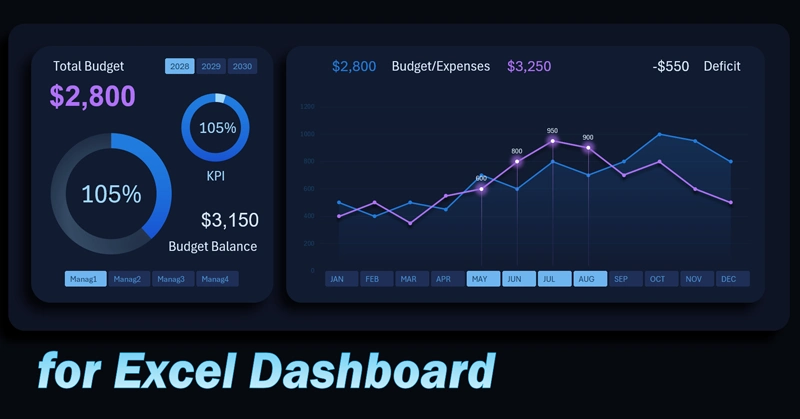
Monthly expense analysis allows you to identify deviations from the plan in a timely manner and take corrective actions. A cost control chart in Excel combines planned and actual indicators, helping visually assess financial discipline and project sustainability.
The Excel chart comparing planned budget and actual expenses by month shows cost dynamics through lines. Interactive buttons instead of month labels on the X-axis allow the user to control either the visualization block or the entire dashboard.
The lines display absolute values of expenses and plans, and when selecting multiple months at once, you get aggregated indicators for the selected period.
If a month is selected, the button is highlighted with a bright color, and a cursor appears on the expense line chart for visual feedback. This makes the visualization easy to read and improves usability.
On the control panel on the right, there are buttons for switching charts by year. There are also two charts affected by these indicators:
- Remaining annual budget for the selected period.
- Final KPI as an indicator of expense efficiency for the same period.
Note how effectively this visualization block can be used to build an interactive dashboard in Excel:
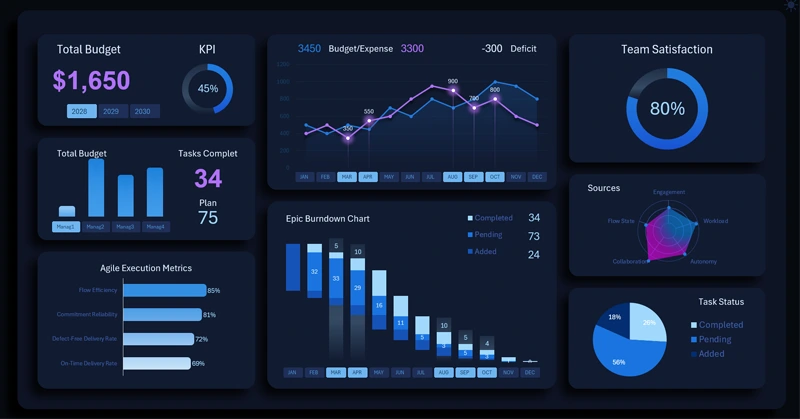
Agile project management on an Excel dashboard
Using a budget control chart in Excel allows you to quickly identify overspending points and assess the overall financial balance. Interactive switching between managers makes the analysis more detailed and personalized, increasing accountability for resource usage. This tool helps not only track the current situation but also build more accurate forecasts and management decisions for the future.
 Download the template for monthly budget expense control in Excel

Data Visualization Charts for Interactive Report Creation in Excel.
Dashboard Templates